629 words
3 minutes

Install Ubuntu Server 22.04 LTS

Cover image for Install Ubuntu Server 22.04 LTS

This article is for those looking for a detailed and straightforward guide on installing Ubuntu Server 22.04 LTS.

After booting from the Ubuntu Server 22.04 installation USB stick or DVD, begin by selecting the desired language for the welcome menu.

Select “English” and press “Enter”.
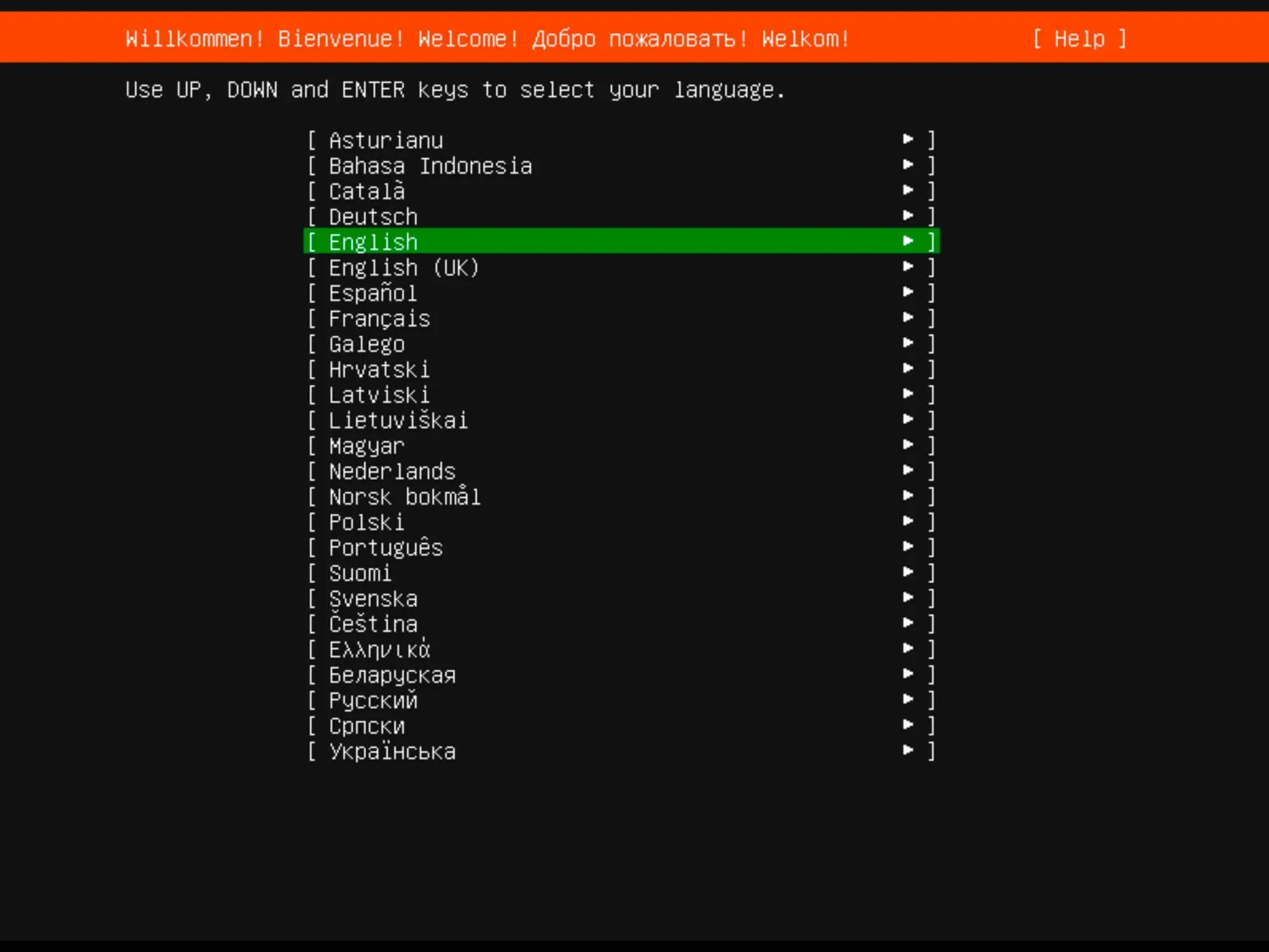
Install Ubuntu Server 22.04 LTS - Step 1

Next, you can choose a keyboard layout.

Select your desired keyboard layout and click “Done”.
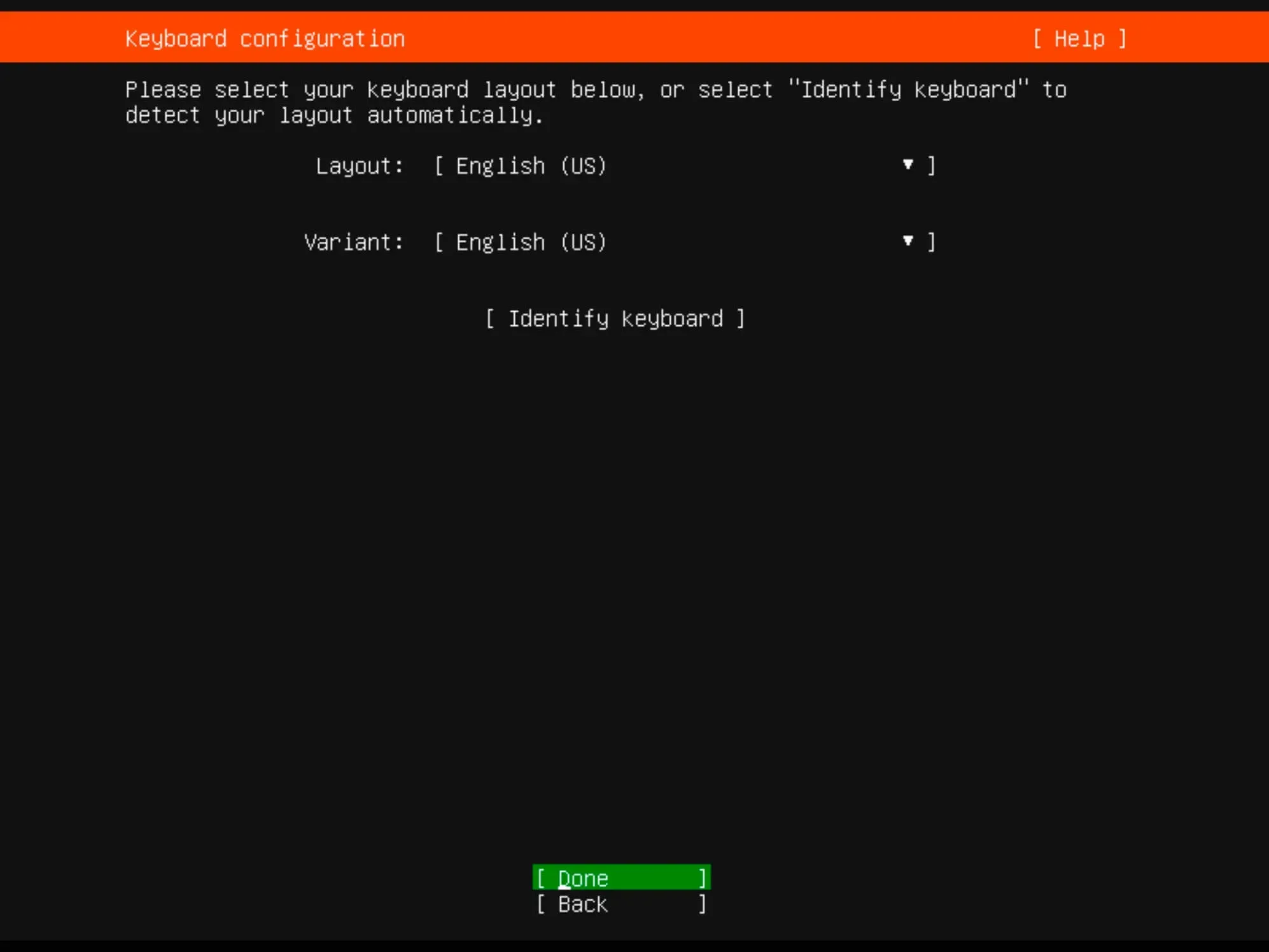
Install Ubuntu Server 22.04 LTS - Step 2

Now you need to specify the installation type.

Choose “Ubuntu Server” and click “Done”.
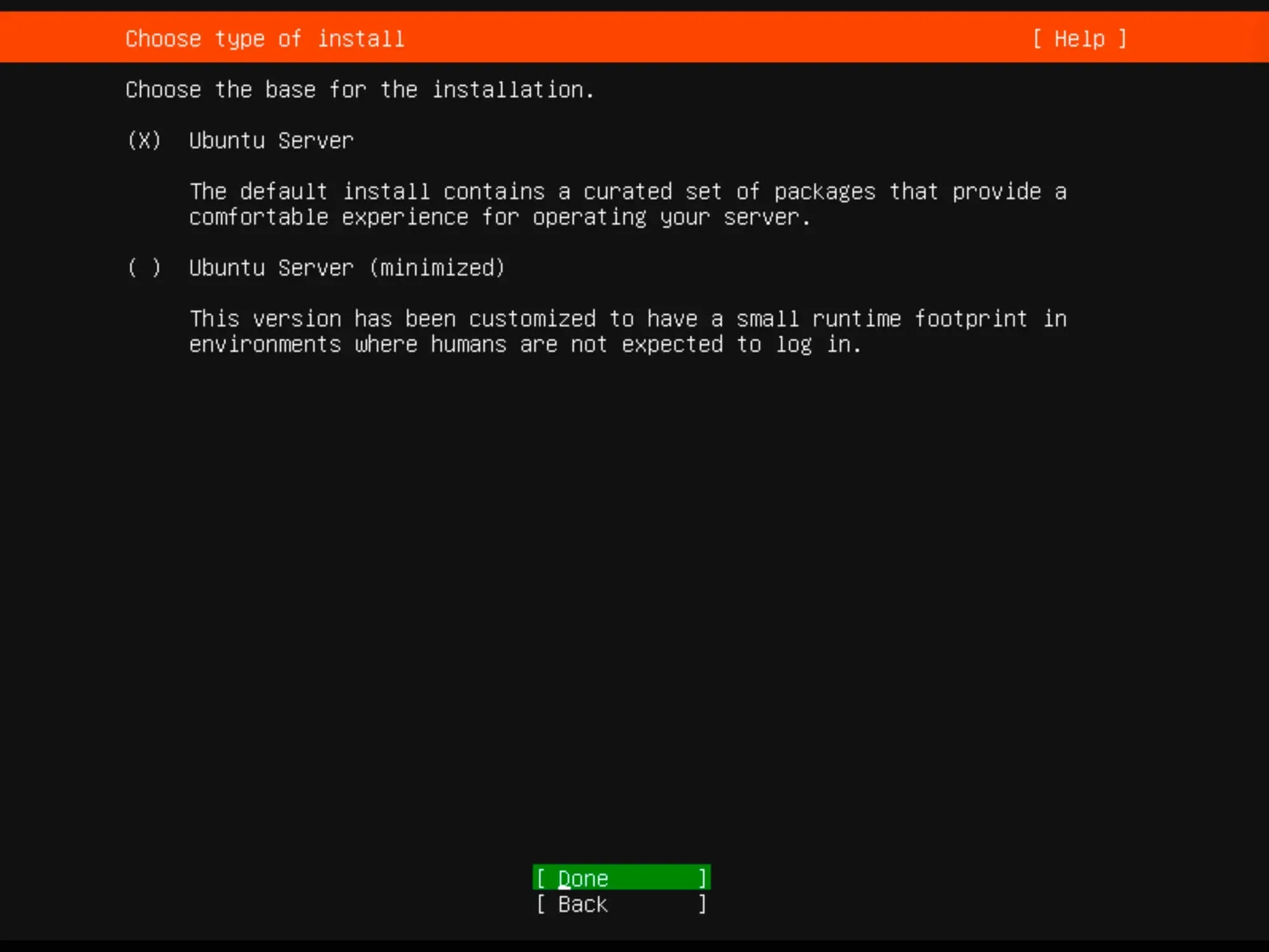
Install Ubuntu Server 22.04 LTS - Step 3

The installer will try to retrieve network settings using DHCP. You can adjust the IP address now or later.

Click “Done”.
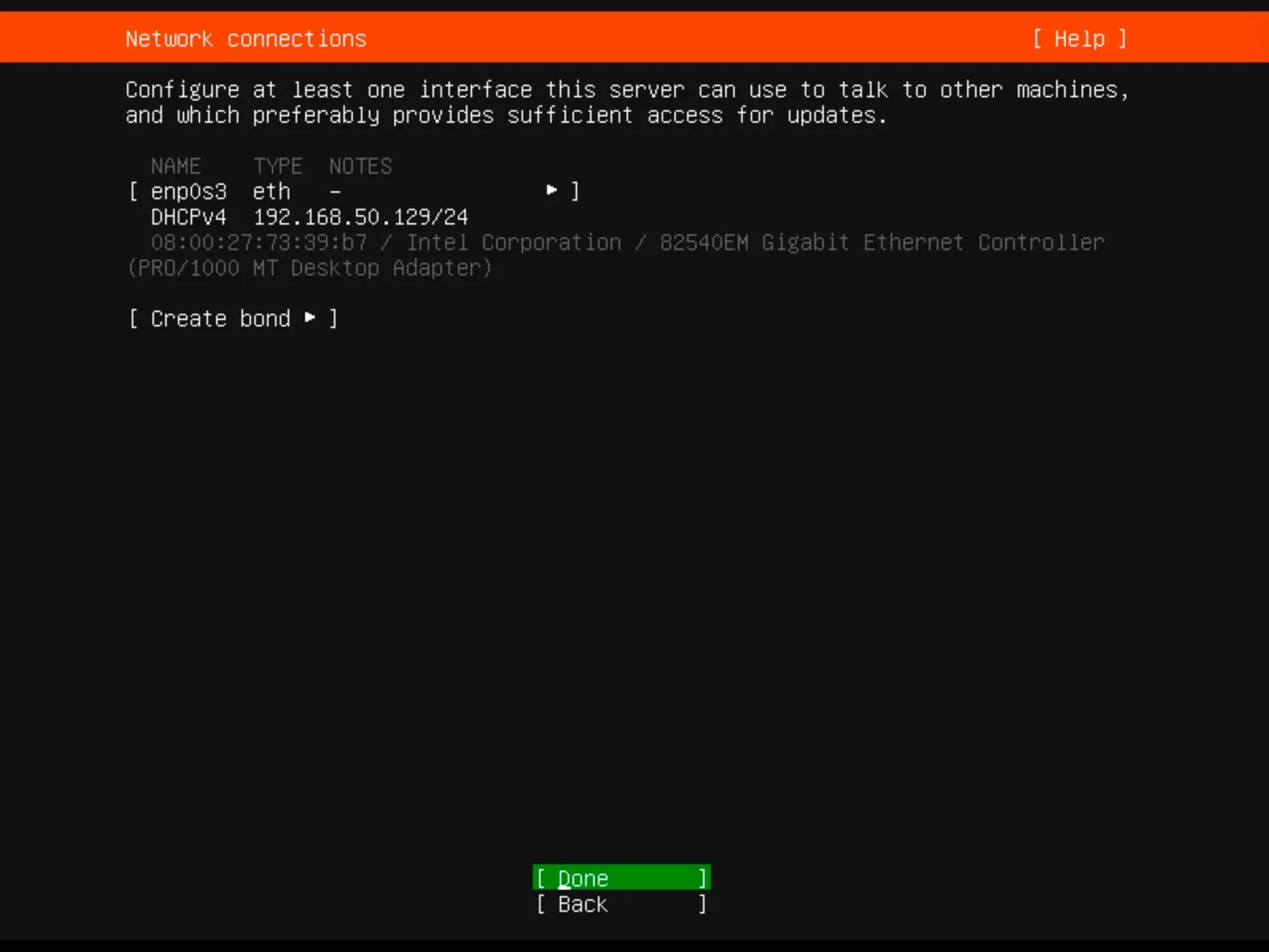
Install Ubuntu Server 22.04 LTS - Step 4

For proxy settings, we’ll skip this step in our guide.

Simply click “Done”.
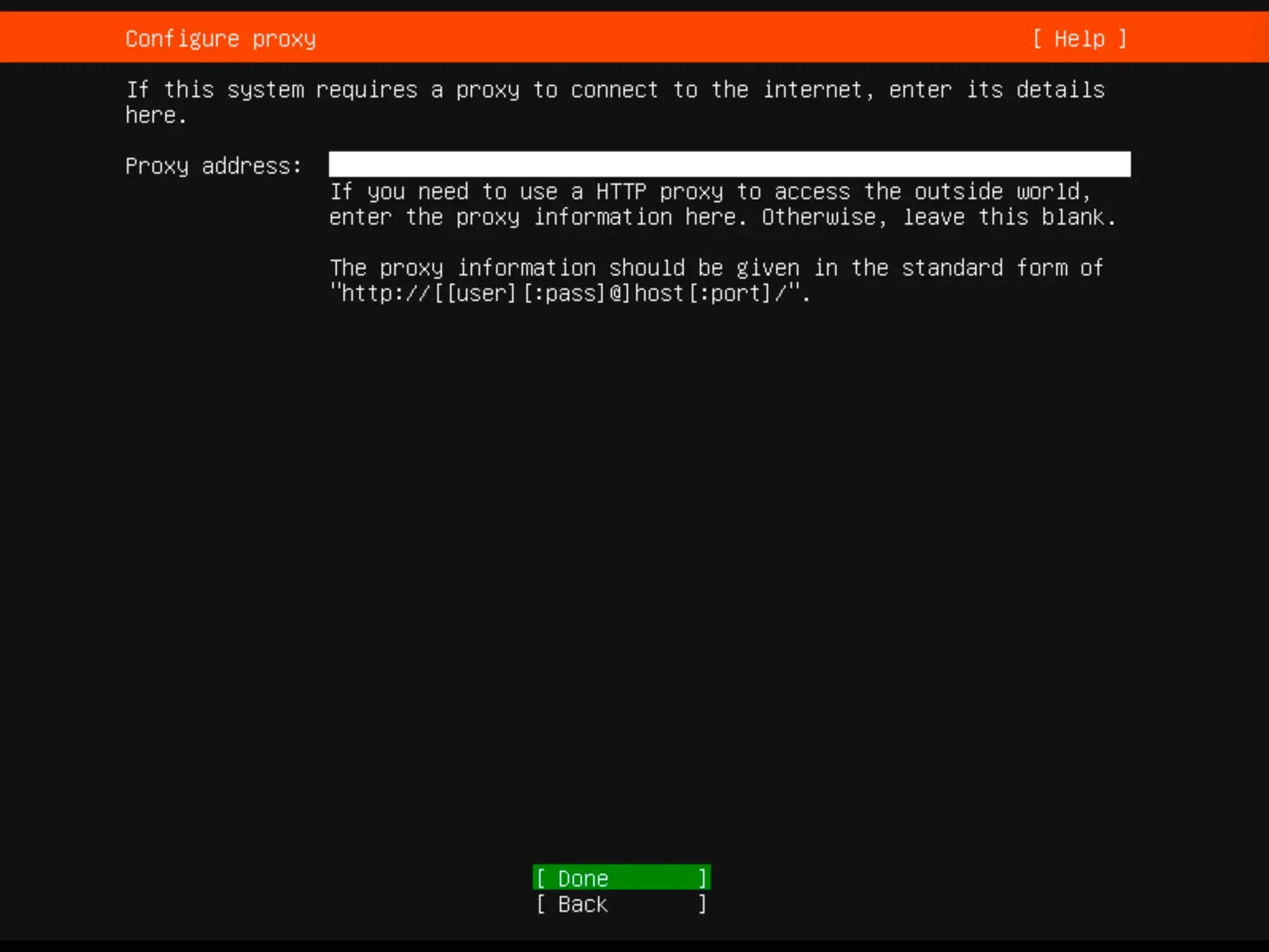
Install Ubuntu Server 22.04 LTS - Step 5

You can specify an alternate mirror address if necessary.

For this guide, leave it as default and click “Done”.
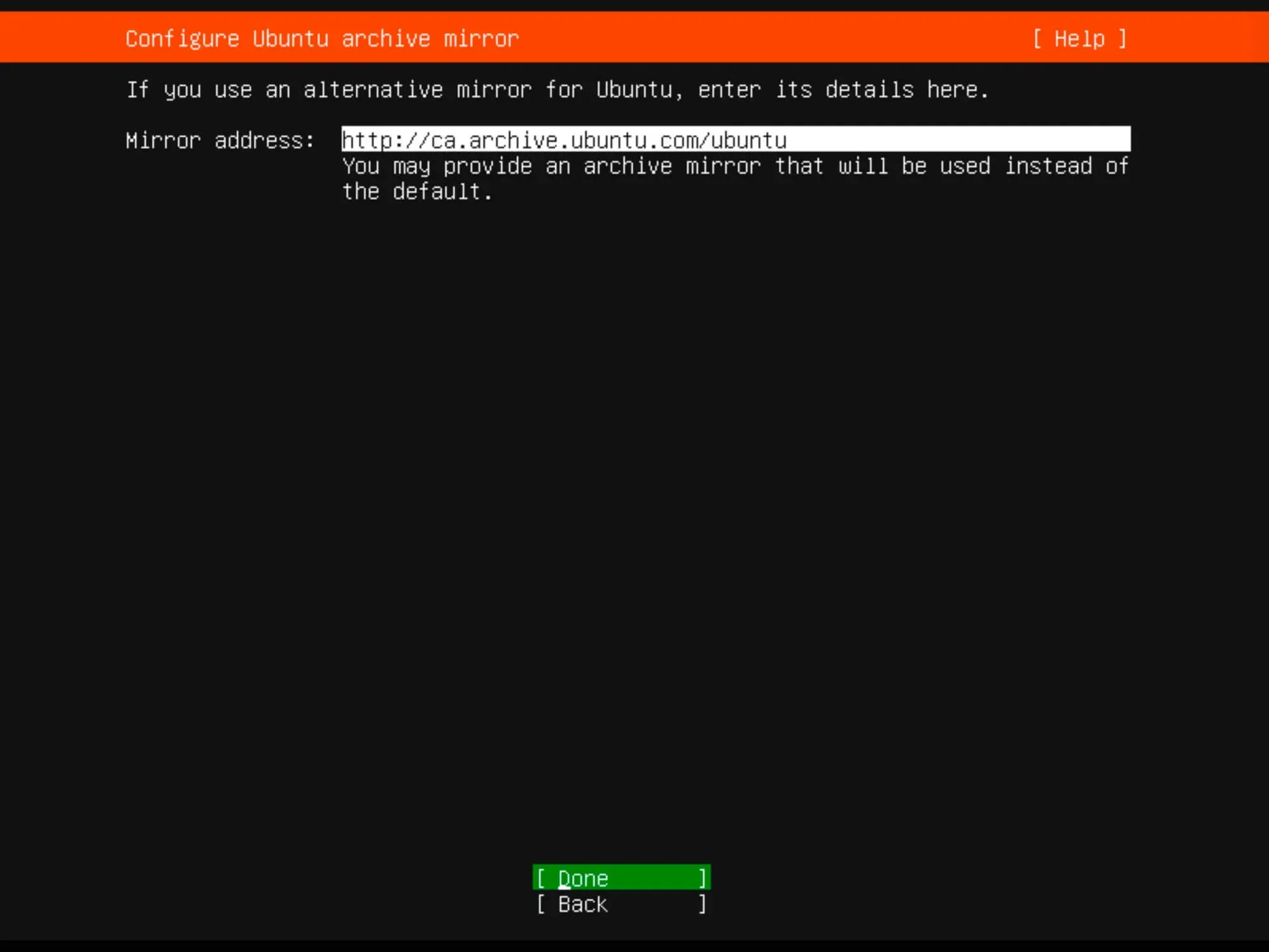
Install Ubuntu Server 22.04 LTS - Step 6

Determine the installation location. All available space will be utilized.

Choose “Use an entire disk” and then select “Set up this disk as an LVM group”.

Click “Done”.
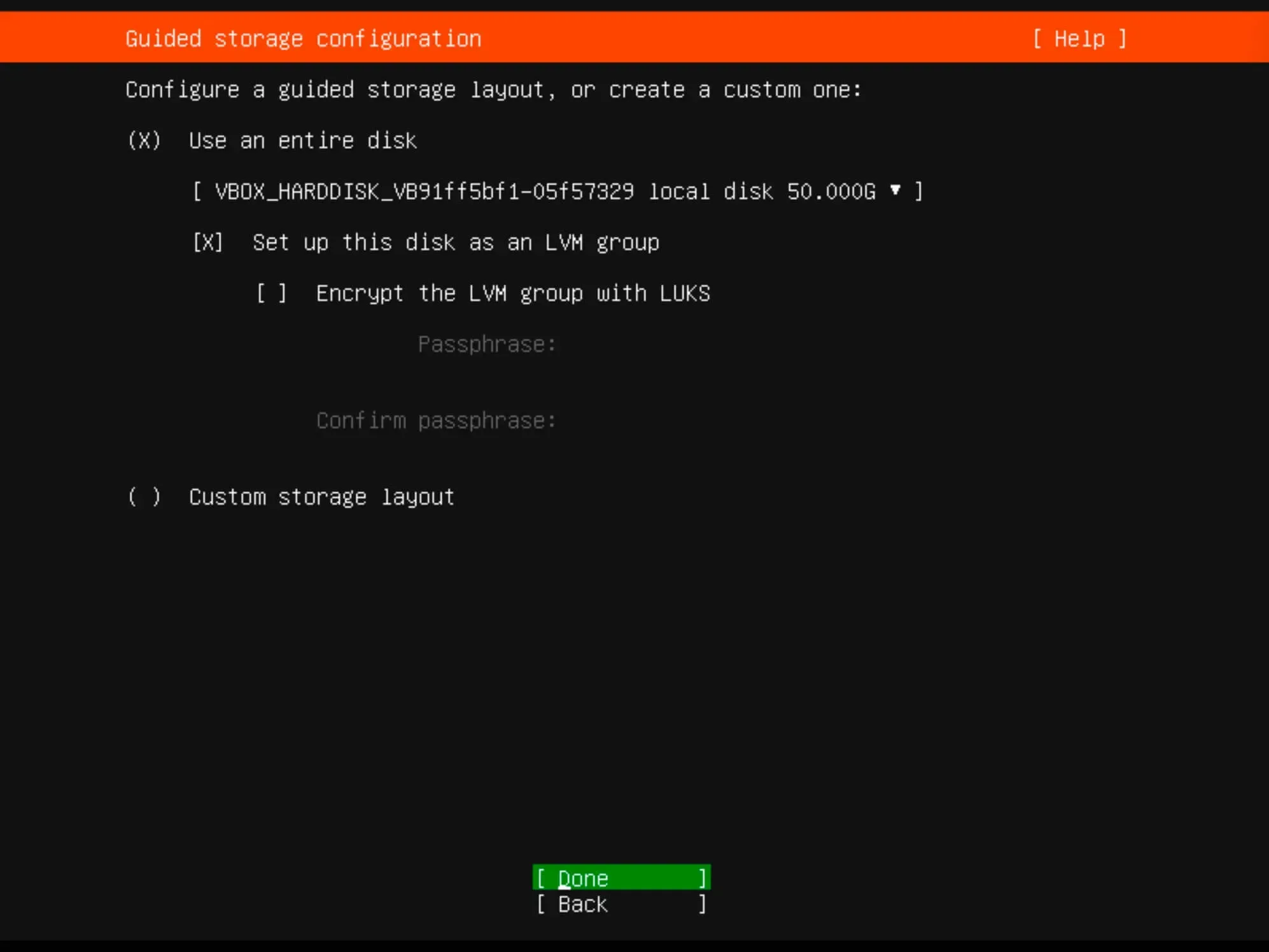
Install Ubuntu Server 22.04 LTS - Step 7

Verify the partitions and click “Done”.
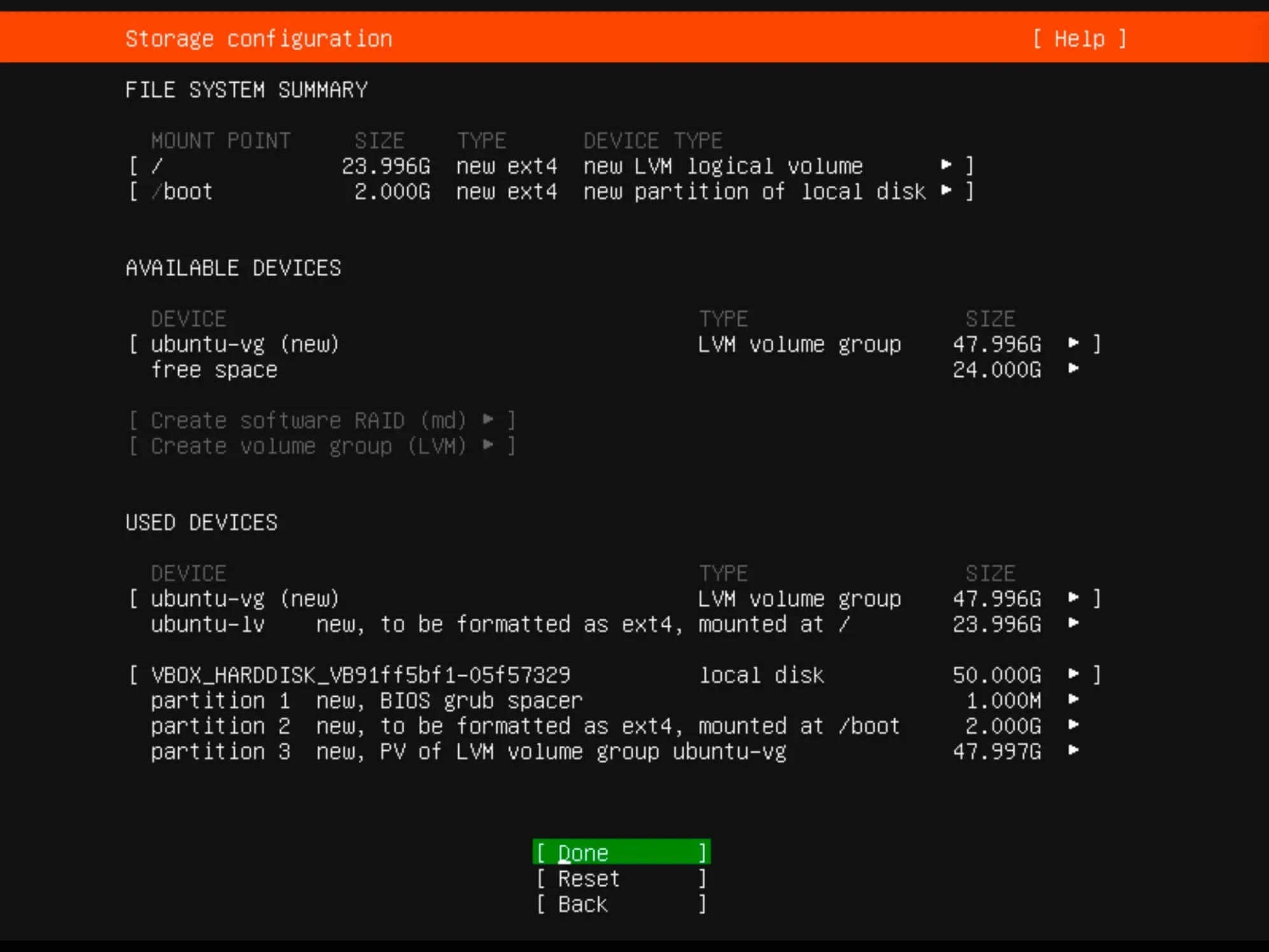
Install Ubuntu Server 22.04 LTS - Step 8

Now you need to confirm your changes.

To continue, click “Continue” and press “Enter”.
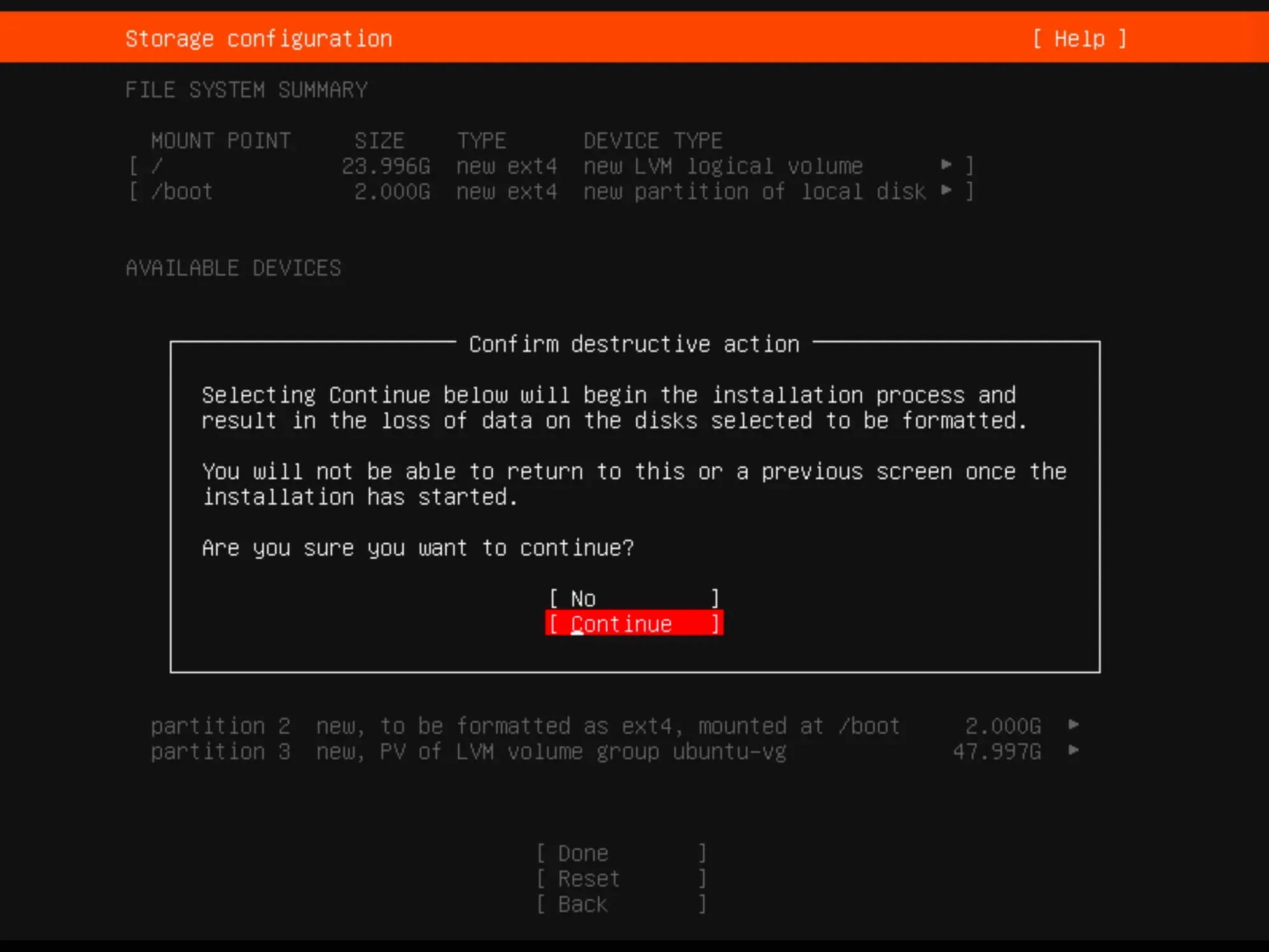
Install Ubuntu Server 22.04 LTS - Step 9

Provide the full username, server name, login, and password.

Click “Done”.
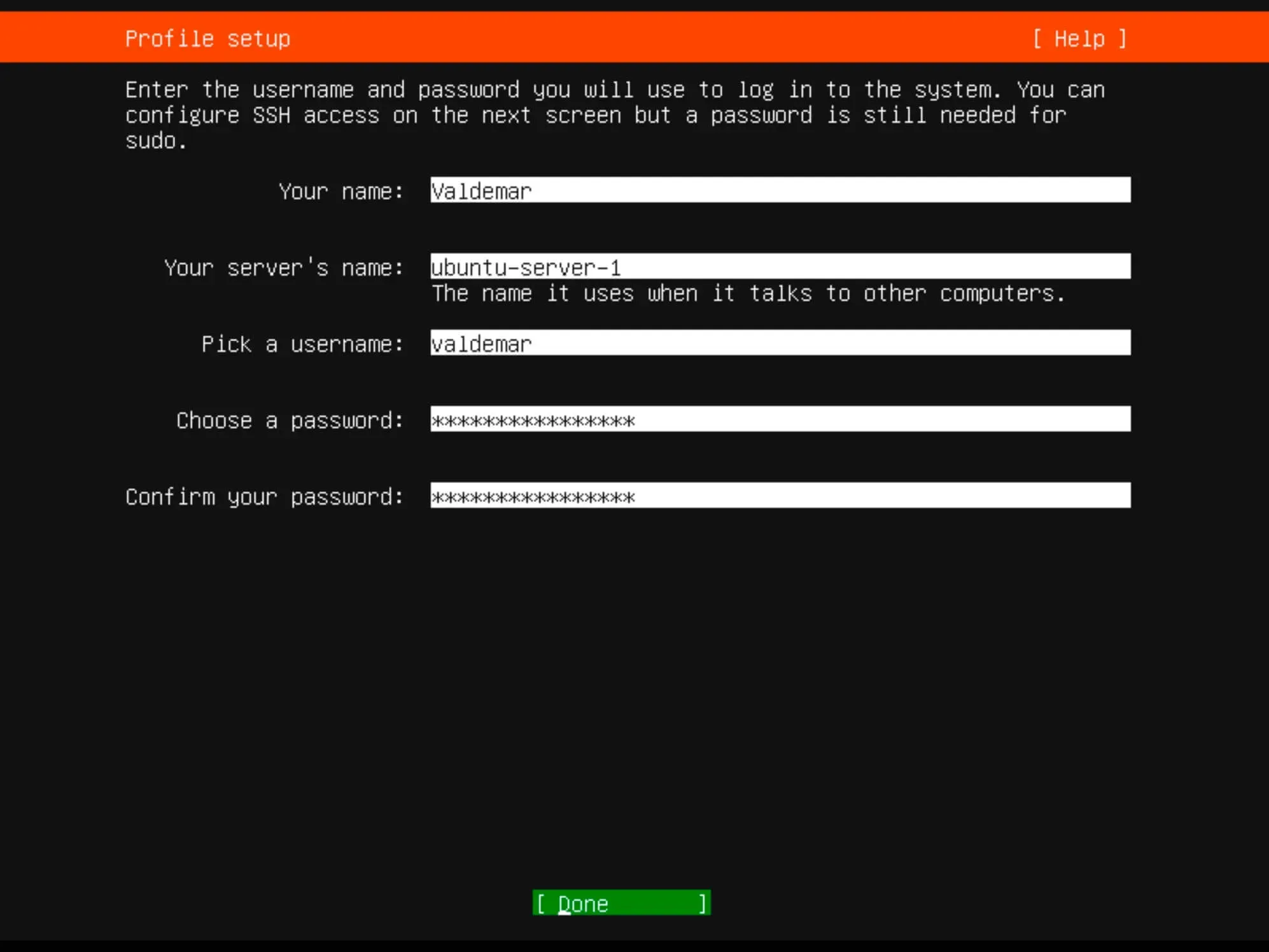
Install Ubuntu Server 22.04 LTS - Step 10

If you plan to use SSH, choose “Install OpenSSH server”.

Optionally, you can import SSH keys from Launchpad or Github.

Click “Done”.
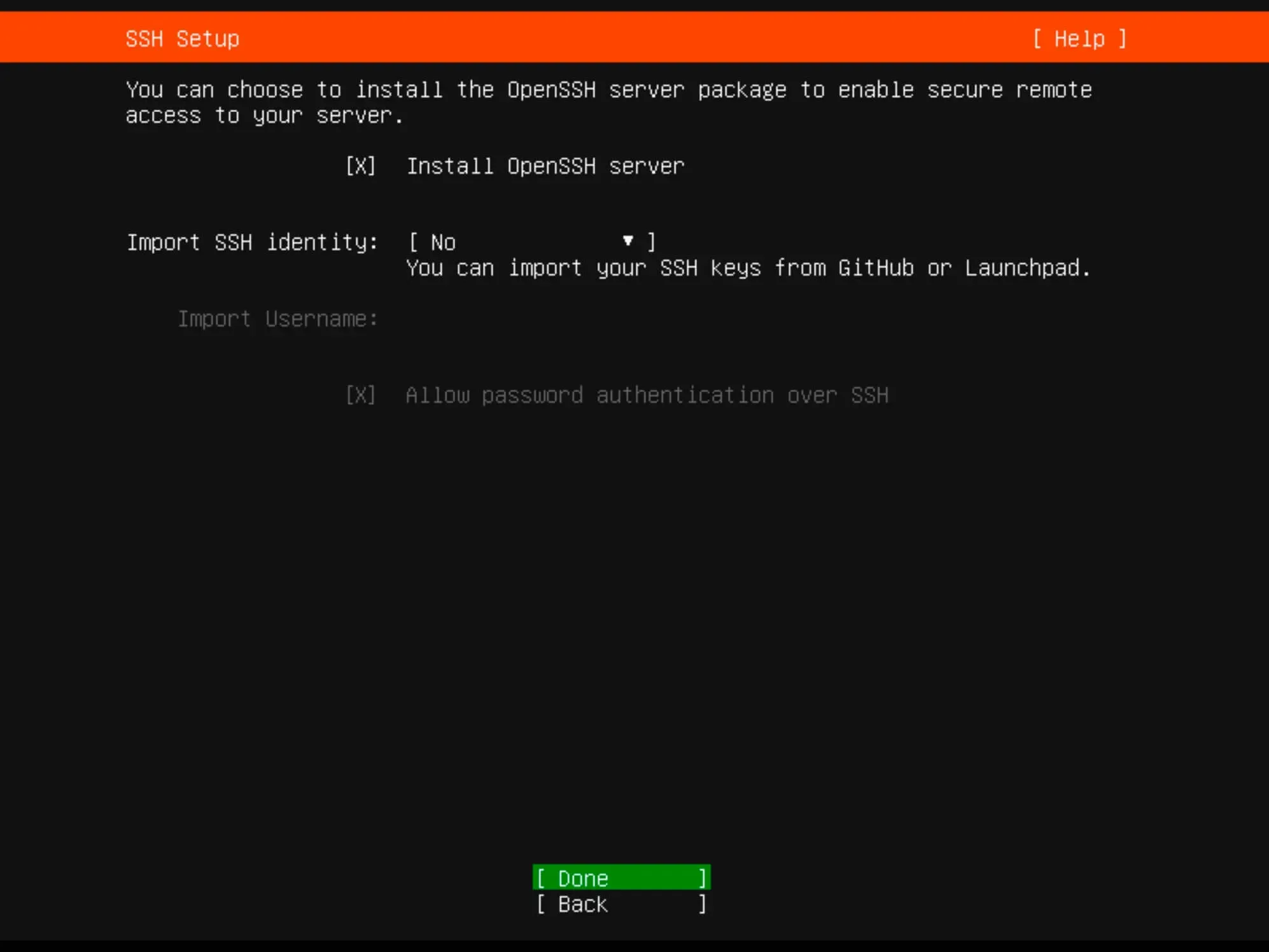
Install Ubuntu Server 22.04 LTS - Step 11

Select any other desired services or components.

Click “Done”.
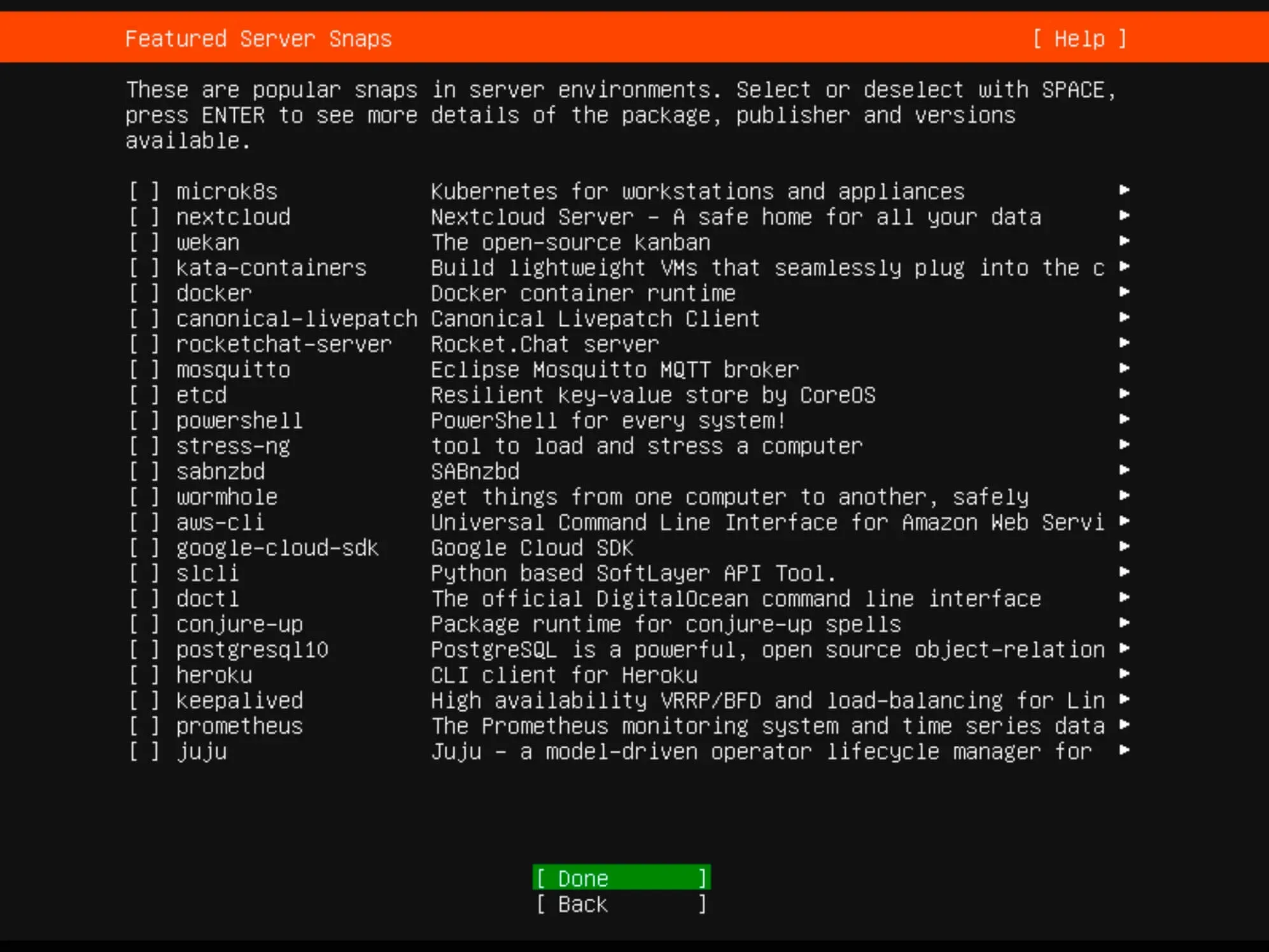
Install Ubuntu Server 22.04 LTS - Step 12

Monitor the installation progress until completion.
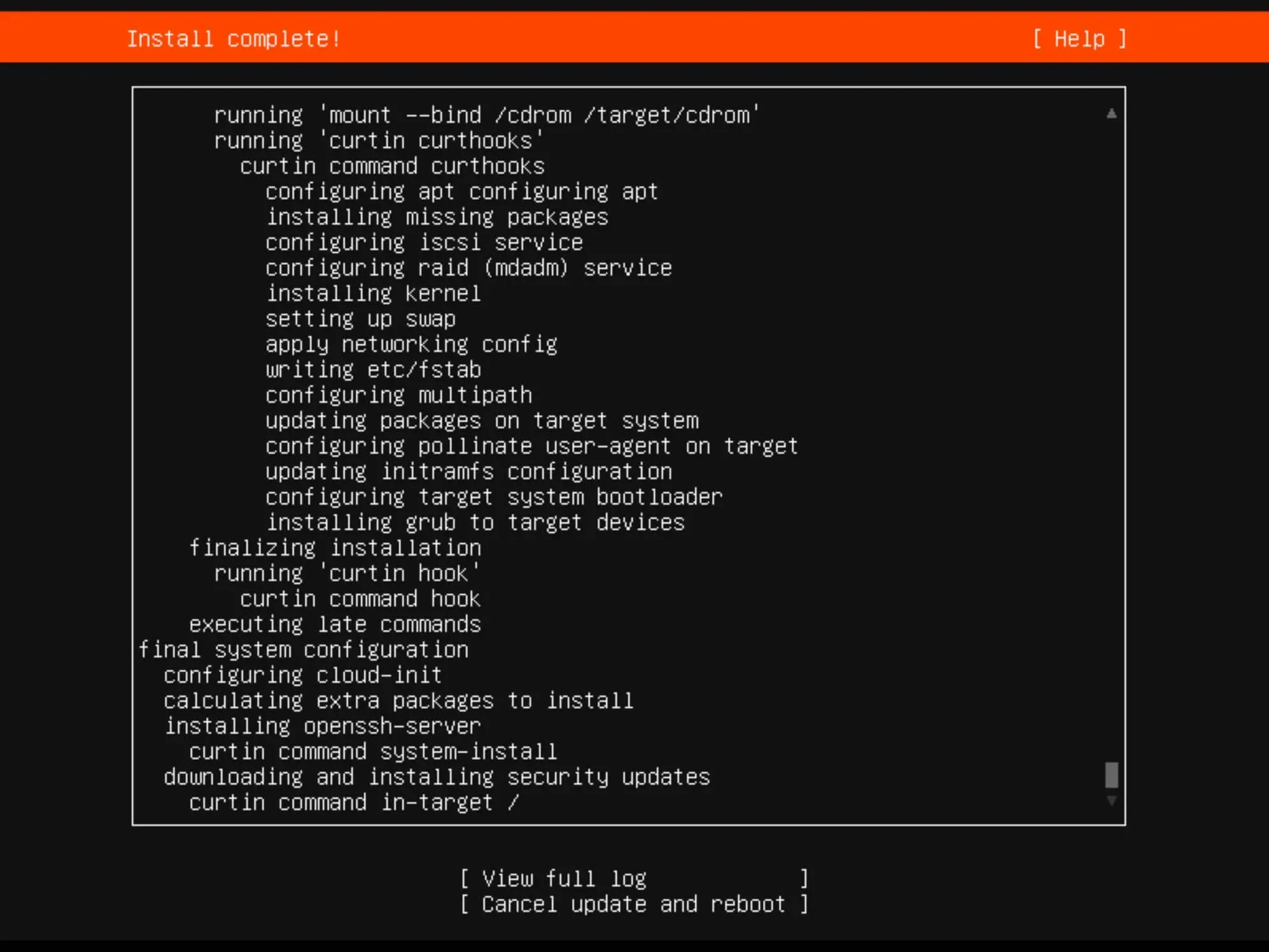
Install Ubuntu Server 22.04 LTS - Step 13

Once the installation is complete, click “Reboot”.
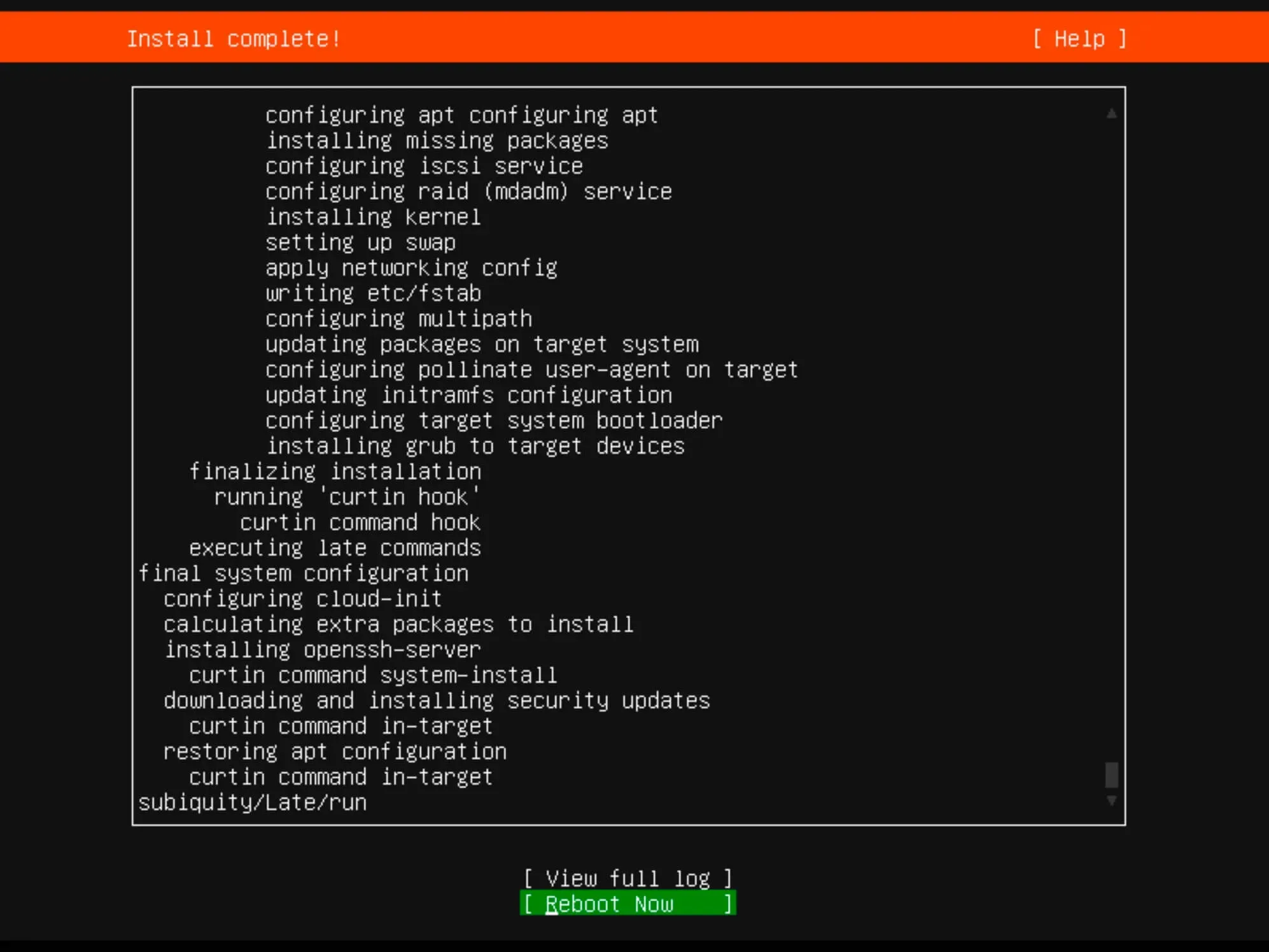
Install Ubuntu Server 22.04 LTS - Step 14

Remove the installation media.

Finally, enter the username and password you set up earlier during the installation for authentication.
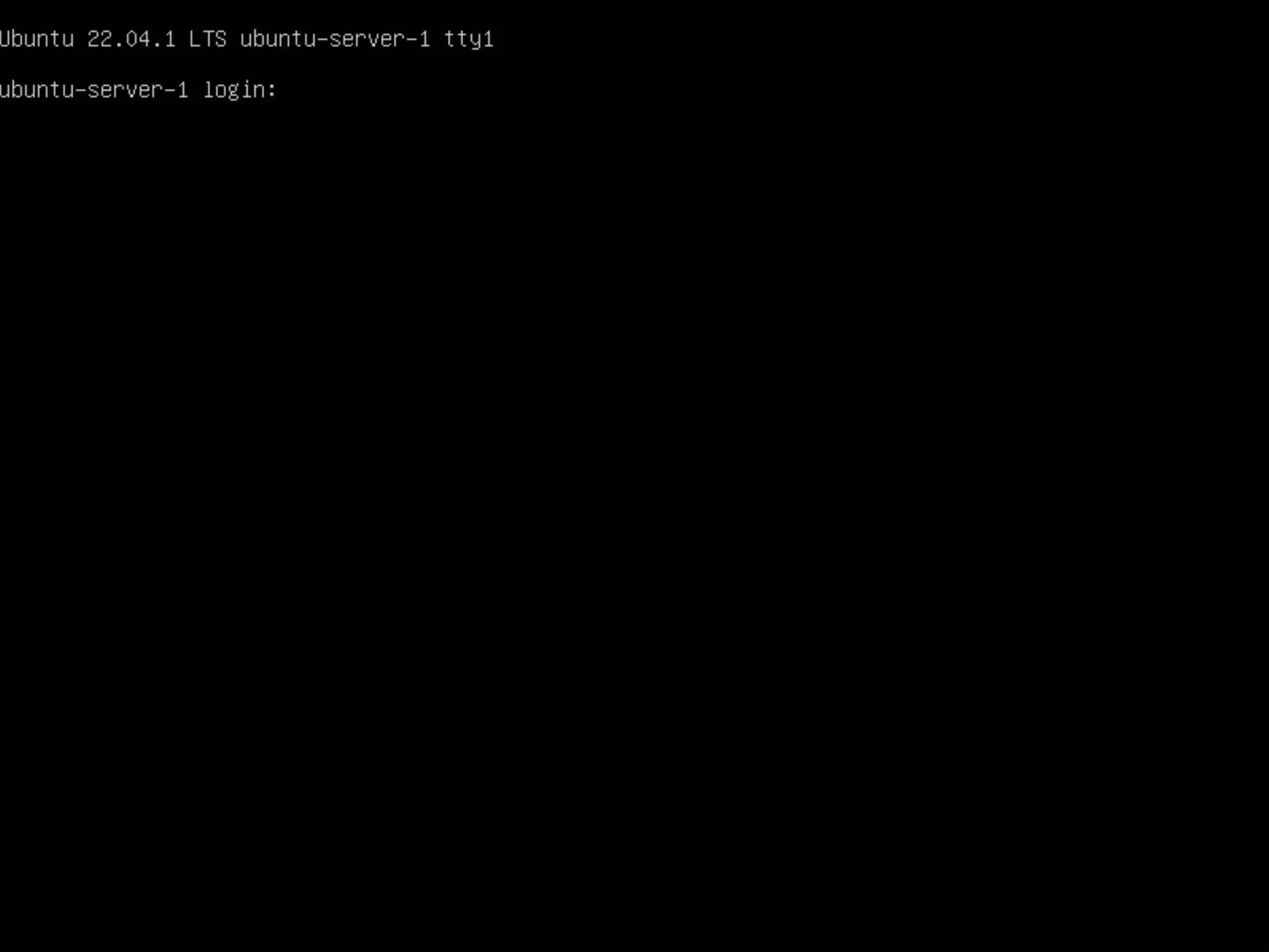
Install Ubuntu Server 22.04 LTS - Step 15


Patreon Exclusives#

🏆 Join my Patreon and dive deep into the world of Docker and DevOps with exclusive content tailored for IT enthusiasts and professionals. As your experienced guide, I offer a range of membership tiers designed to suit everyone from newbies to IT experts.


Tools I Personally Trust#

If you’re building, breaking, and trying to keep your digital life sane (like every good DevOps engineer), these are tools I actually use every day:

🛸 Proton VPN (60% off link) - my shield on the internet. Keeps my Wi-Fi secure, hides my IP, and blocks trackers. Even on sketchy café Wi-Fi, I’m safe.

🔑 Proton Pass (50% off link) - my password vault. End-to-end encrypted logins, 2FA, and notes - all mine and only mine.

🦑 GitKraken Pro (50% off link) - my visual Git sidekick. Beautiful commit graph, easy merges, and fewer “WTF just happened?” moments.

💜 These links give you discounts - and help support the channel at no extra cost.


Gear & Books I Trust#

📕 Essential DevOps books
🖥️ Studio streaming & recording kit
📡 Streaming starter kit


Social Channels#

🎬 YouTube
🐦 X (Twitter)
🎨 Instagram
🐘 Mastodon
🧵 Threads
🎸 Facebook
🦋 Bluesky
🎥 TikTok
💻 LinkedIn
📣 daily.dev Squad
✈️ Telegram
🐈 GitHub


Community of IT Experts#

👾 Discord


Refill My Coffee Supplies#

💖 PayPal
🏆 Patreon
🥤 BuyMeaCoffee
🍪 Ko-fi
💎 GitHub
Telegram Boost

🌟 Bitcoin (BTC): bc1q2fq0k2lvdythdrj4ep20metjwnjuf7wccpckxc
🔹 Ethereum (ETH): 0x76C936F9366Fad39769CA5285b0Af1d975adacB8
🪙 Binance Coin (BNB): bnb1xnn6gg63lr2dgufngfr0lkq39kz8qltjt2v2g6
💠 Litecoin (LTC): LMGrhx8Jsx73h1pWY9FE8GB46nBytjvz8g


Is this content AI-generated?

No. Every article on this blog is written by me personally, drawing on decades of hands-on IT experience and a genuine passion for technology.

I use AI tools exclusively to help polish grammar and ensure my technical guidance is as clear as possible. However, the core ideas, strategic insights, and step-by-step solutions are entirely my own, born from real-world work.

Because of this human-and-AI partnership, some detection tools might flag this content. You can be confident, though, that the expertise is authentic. My goal is to share road-tested knowledge you can trust.

Install Ubuntu Server 22.04 LTS
https://www.heyvaldemar.com/install-ubuntu-server-22-04-lts/
Author
Vladimir Mikhalev
Published at
2022-09-08
License
CC BY-NC-SA 4.0